编辑器窗口创建
我这里直接用了Unity编辑器uss创建一个窗口。然后添加了一个网格样式。
窗口代码
窗口中持有一个NodeGraphView实例,并且在其中OnEnable中进行初始化。
1
2
3
4
5
6
7
8
9
10
11
12
13
14
15
16
17
18
19
20
21
22
23
24
25
26
27
28
29
30
31
32
33
34
35
36
37
38
39
40
41
42
43
44
45
46
47
48
49
50
51
52
53
54
55
56
57
58
59
60
61
62
63
64
65
66
67
68
69
70
71
72
73
74
75
76
77
78
79
80
81
82
83
84
85
86
87
88
89
90
91
92
93
| public class NodeGraphWindow : EditorWindow
{
protected static NodeGraphView m_graphView;
[MenuItem("★Tools★/NodeGraphWindow")]
public static void ShowExample()
{
GetWindow<NodeGraphWindow>();
}
[MenuItem("★Tools★/CraeteGraph")]
public static void CreateGraph()
{
GraphEditorUnility.CreateDefaultGraph();
}
[OnOpenAsset(0)]
public static bool OnOpen(int instanceID, int line)
{
GraphSoData nodeGraph = EditorUtility.InstanceIDToObject(instanceID) as GraphSoData;
if (nodeGraph != null)
{
Open(nodeGraph);
return true;
}
return false;
}
public static void Open(GraphSoData nodeGraph)
{
ShowExample();
m_graphView.SetGraphData(nodeGraph);
m_graphView.RebuildGraph();
}
public void OnEnable()
{
Init();
}
public void Init()
{
rootVisualElement.style.flexDirection = FlexDirection.Column;
AddToolBar();
GraphSoData graphSoDataBase = new GraphSoData();
m_graphView = new NodeGraphView();
m_graphView.Init(graphSoDataBase);
m_graphView.style.flexGrow = 1;
rootVisualElement.Add(m_graphView);
}
private void AddToolBar()
{
Toolbar toolbar = new Toolbar();
Button saveBtn = new Button();
saveBtn.text = "保存";
saveBtn.clicked += SaveBtnClick;
toolbar.Add(saveBtn);
rootVisualElement.Add(toolbar);
}
private void SaveBtnClick()
{
if (m_graphView == null)
{
return;
}
m_graphView.SaveData();
}
public void OnDestroy()
{
if (m_graphView != null)
{
rootVisualElement.Remove(m_graphView);
m_graphView.Dispose();
m_graphView = null;
}
}
}
|
背景网格代码
1
2
3
4
5
6
7
| GridBackground
{
--grid-background-color: #2b2b2b;
--line-color: rgba(51,51,51,8);
--thick-line-color: rgba(51,51,51,1);
--spacing: 25;
}
|
GraphView 黑板
GraphView有人叫视图,也有人叫黑板,后面统称为黑板。黑板这里我直接继承了Unity的GraphView,然后实现其中的接口就能实现功能,没啥技术含量上网搜索、看API文档,甚至直接问AI要代码都可以,下面是我的实现代码。
创建节点
1
2
3
4
5
6
7
8
9
10
11
12
13
14
15
16
17
18
19
20
21
22
23
24
25
26
27
28
29
30
31
32
33
34
35
36
37
38
39
40
41
42
43
44
45
46
47
48
49
50
51
52
53
54
55
56
57
58
59
60
61
62
63
64
65
66
67
68
69
70
71
72
73
74
75
76
77
78
79
80
81
82
83
84
85
86
87
88
89
90
|
this.AddManipulator(new ContextualMenuManipulator(evt => BuildNodeCreationMenu(evt)));
private void BuildNodeCreationMenu(ContextualMenuPopulateEvent evt)
{
evt.menu.AppendSeparator();
var subMenu = evt.menu;
foreach (var type in nodeTypeMap)
{
string itemName = $"Create Node/{type.Value}";
subMenu.AppendAction(
itemName,
action => CreateNode(type.Key, action.eventInfo.mousePosition),
action => DropdownMenuAction.Status.Normal
);
}
}
private void CollectNodeTypes()
{
nodeTypeMap.Clear();
var assemblies = AppDomain.CurrentDomain.GetAssemblies();
foreach (var assembly in assemblies)
{
try
{
var types = assembly.GetTypes()
.Where(t =>
(t == typeof(NodeBase) || t.IsSubclassOf(typeof(NodeBase))) &&
!t.IsAbstract &&
!t.IsGenericType)
.ToList();
foreach (var type in types)
{
nodeTypeMap[type] = type.FullName;
}
}
catch (ReflectionTypeLoadException)
{
}
}
nodeTypeMap = nodeTypeMap
.OrderBy(kvp => kvp.Value)
.ToDictionary(kvp => kvp.Key, kvp => kvp.Value);
}
private void CreateNode(Type nodeType, Vector2 screenPosition)
{
Vector2 graphPosition = viewTransform.matrix.inverse.MultiplyPoint(screenPosition);
NodeBase node = (NodeBase)Activator.CreateInstance(nodeType);
node.Init(this,m_graphData.nodeSoDataList.Count <= 0);
node.nodeData.nodeFullTypeName = nodeType.FullName;
GraphEditorUnility.AddNodeToGraph(node.nodeData, m_graphData);
node.SetPosition(new Rect(graphPosition, Vector2.zero));
node.nodeData.nodePos = graphPosition;
AddElement(node);
}
public static void AddNodeToGraph(NodeSoData node, GraphSoData graph)
{
if (node == null || graph == null)
{
Debug.LogError("node or graph is null!");
}
graph.nodeSoDataList.Add(node);
AssetDatabase.AddObjectToAsset(node, graph);
EditorUtility.SetDirty(graph);
EditorUtility.SetDirty(node);
AssetDatabase.SaveAssets();
}
|
拉伸、拖拽、框选
1
2
3
4
5
6
|
this.AddManipulator(new ContentDragger());
this.AddManipulator(new ContentZoomer());
this.AddManipulator(new SelectionDragger());
this.AddManipulator(new RectangleSelector());
|
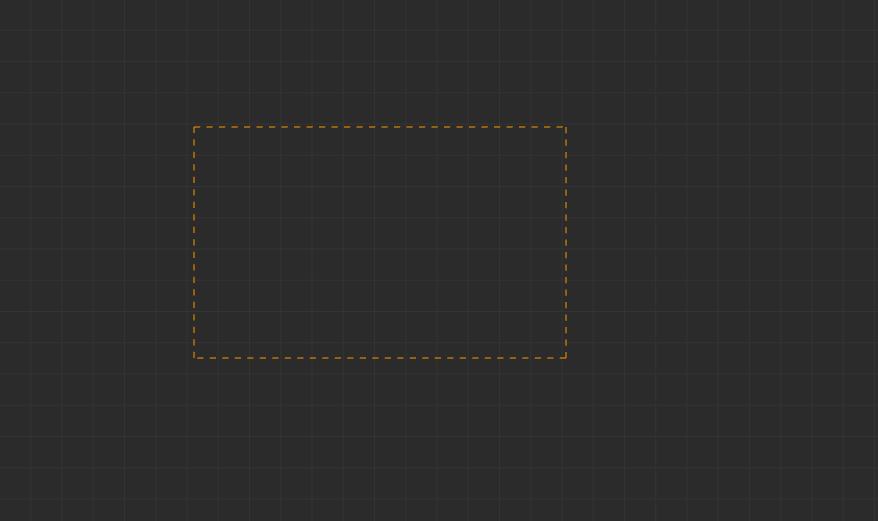
实现完就得到一个这样的窗口,可以框选、拓展和伸缩,同时右键有创建节点的选项,但是现在还没实现NodeBase。